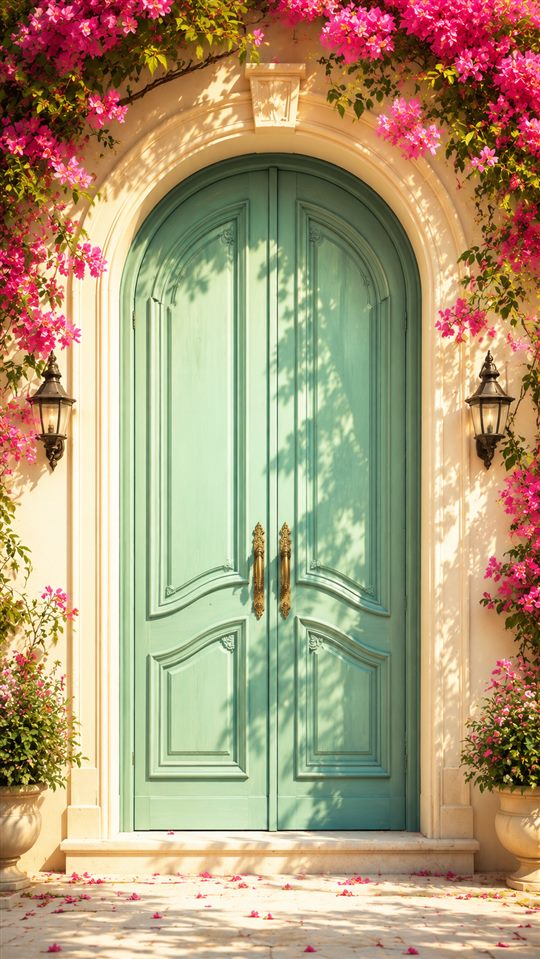
✦ Love Royal Invites

Preview this design

Tap the invitation to see it open.

Start with this design. Explore other styles anytime.

Choose the design you loved

Preview any style. You can change it again while editing.

QUICK ANSWERS

Before you continue.

START WITH THE TWO OF YOU

Make it yours.

See your names on the invitation. Add the other details next.

Your builder activity, invitation details and contact details are shared with PostHog as you type to help us improve the service. Privacy

Free to create & preview · ₹999 only to publish

Already purchased?

You can make unlimited changes for 6 months after publication, or 12 months with the extension, including names, dates, venue, door design and music.

  1. Sign in with the email used at checkout. We’ll send a 6-digit code.
  2. Choose your purchased invitation and make your changes.
  3. Preview it, then select Publish changes to update the live invitation.

Your invitation link stays the same. No extra payment is needed during the editing period. Draft changes go live only after you publish them.

Where can I find my invitation?

Your receipt email contains the link. You can also sign in below with your delivery email and choose your invitation. Check spam if you can’t find the email.

What happens after the included editing period?

Editing closes at the deadline shown in your account. Your guest link continues to work. Your account shows when the included editing and guaranteed hosting period ends. Changes do not restart that period.

My invitation isn’t showing

Use the same email you entered at checkout, even if you didn’t create an account before paying. If it still doesn’t appear, contact support with your receipt or payment reference.

Still need help? WhatsApp support

Architectural Door Cover
TAP TO OPEN An Invitation Awaits

What’s included

6 months hosted 6 months unlimited edits No subscription

Hosting and editing periods start when you publish.

Free to preview · ₹999 to publish

Common questions

Can I preview before paying?

Yes. Add your names, personalise the invitation and preview it freely. You pay only when you choose to publish.

Can I change the design later?

Yes. Change doors, envelopes and other reveal styles while creating. After publication, you can keep changing the design during your 6-month editing period.

How do I edit after purchasing?

Choose “Edit a paid invitation” and sign in with the delivery email used at checkout. Select your invitation, make changes, preview them and choose “Publish changes.” Your link stays the same.

What happens after the included editing period?

Your guest link continues to work, but self-service editing closes after the included 6 or 12 months. Continued hosting after that period is not guaranteed.

How long will my invitation stay online?

Your purchase includes 6 months of guaranteed hosting and editing from publication, or 12 months with the optional extension. Guest links continue to work afterwards; further hosting is not guaranteed.

Which payment methods can I use?

Indian checkout supports UPI and cards through Razorpay. International payments are processed in USD through Razorpay, with supported methods shown at checkout.

Builder activity, invitation details and contact details are shared with PostHog to help us improve the service. Privacy

Secure payment
UPIVISAMastercardPayPal
Available payment methods depend on your region.